Fiber vs. cable, explained
Two clear primers on why the underlying technology matters more than the marketing number.
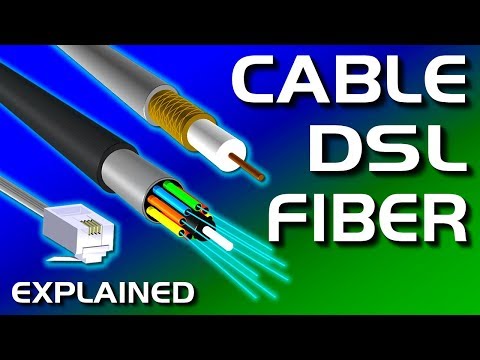
Cable vs DSL vs Fiber Internet Explained
PowerCert Animated Videos
Fibre (Fiber) vs Copper as Fast As Possible
Techquickie
400 Mbps, 1 Gig, 2 Gig — the numbers get big fast, and most of them are marketing. Here's what each tier really does for streaming, working from home, and gaming, so you buy the plan you need instead of the plan with the biggest number.
Internet "speed" in Mbps is really bandwidth — how much data can flow at once, like the number of lanes on a highway. More lanes let more activities happen simultaneously without slowdown; they don't make any single car go faster. That's why jumping from 400 Mbps to 2 Gig rarely feels different for one person watching Netflix, but matters a lot for a busy household of six all online at once.
Here's roughly what common activities consume, so you can add up your own household:
| Activity | Bandwidth needed | Notes |
|---|---|---|
| SD video streaming | 3–5 Mbps | Per stream |
| HD (1080p) streaming | 5–8 Mbps | Per stream |
| 4K UHD streaming | 15–25 Mbps | Per stream; Netflix recommends ~15, some services more |
| Zoom / video call (HD) | 3–4 Mbps up and down | Upload matters as much as download here |
| Online gaming | 3–6 Mbps | Latency matters far more than bandwidth — see below |
| Large cloud backup / photo sync | As much upload as you'll give it | Where fiber's symmetrical upload shines |
| Big game / OS download | The whole pipe | A 100 GB game: ~15 min on 1 Gig vs hours on slow DSL |
Real-world figures; individual apps vary. Add up the simultaneous activities in your busiest hour to size your plan.
Two people working from home on video calls, a 4K TV going, a teenager gaming, phones and a smart-home in the background, a cloud backup running — add it up and you're around 60–70 Mbps at peak. A 400 Mbps symmetrical plan absorbs that with enormous headroom to spare. For the large majority of Bastrop County homes, 400 Mbps is the right answer, and it's Highline's entry tier (see plans and pricing).
Go higher if you have a lot of heavy simultaneous users, you routinely upload big files (video creators, photographers, remote engineers), you run home servers or NAS backups off-site, or you just want to never think about it again. The jump from 1 Gig to 2 Gig is mostly future-proofing and bragging rights for a typical family — worthwhile if the price gap is small, unnecessary if it's large.
The single most misunderstood thing in internet marketing: for gaming, bandwidth barely matters — latency does. Latency (ping, measured in milliseconds) is how long a signal takes to reach the server and come back. A 50 Mbps connection with 15 ms latency will out-game a 2 Gig connection with 80 ms latency every time. This is exactly where fiber wins: fiber typically delivers single-digit-to-low-teens latency, cable is a bit higher, 5G home internet varies, and satellite is higher still because the signal travels to orbit and back. A gamer should care about the technology (fiber) more than the tier (400M vs 1G). We compare the technologies on latency on the alternatives page.
Cable gives you a big download number and a small upload number. But modern life uploads constantly — video calls send your camera feed up, security cameras stream up, cloud backup and photo sync push up, and every online game sends your inputs up. Fiber's symmetrical upload (400 up on the entry tier) is why a fiber connection often feels faster than a cable plan with a bigger download headline.
Two clear primers on why the underlying technology matters more than the marketing number.
See Highline's advertised plans, or check whether fiber has reached your street yet.
Plans & pricing Check your address